![161206_Felfel_logo_final-1.jpg]](https://info.felfel.ch/hs-fs/hubfs/161206_Felfel_logo_final-1.jpg?width=40&height=40&name=161206_Felfel_logo_final-1.jpg)
It’s super easy to join in – your FELFEL and the app are already set:
-
Download the FELFEL App or go to my.felfel.ch. You can get the app from the App Store or Google Play, or simply scan the QR code on your FELFEL screen.
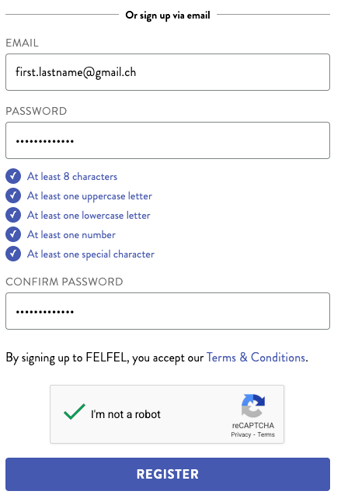
- On the registration page, enter your email address (work or private) and choose a password, then confirm it.
- Add a payment method so you’re ready to enjoy your meals. For a step‑by‑step guide on how to do this, check out this article.
-
Complete your profile: Add your birthday (for a little surprise) and verify your email address.
-
Enjoy food & rewards: every meal counts, so watch your level go up, and new perks unlock!
Note: On the Home page, you'll see a sample menu. The actual menu will appear after your first purchase.