![161206_Felfel_logo_final-1.jpg]](https://info.felfel.ch/hs-fs/hubfs/161206_Felfel_logo_final-1.jpg?width=40&height=40&name=161206_Felfel_logo_final-1.jpg)
Error message 1: Your account is below credit limit
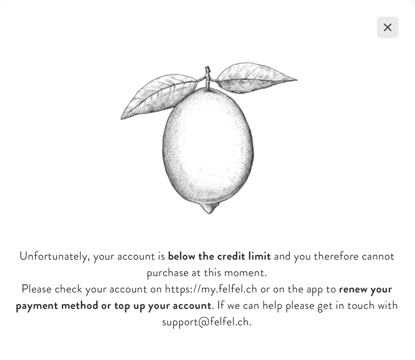
In this scenario, your account doesn’t have a registered payment method, and any existing positive balance has been used up. As a result, your access to the service is temporarily suspended and you will receive an email notification about this.
How to solve it?
You can either top up your account or add a valid payment method. To set up a payment method, please follow the steps described in this article.
Error message 2: Your payment method is failing
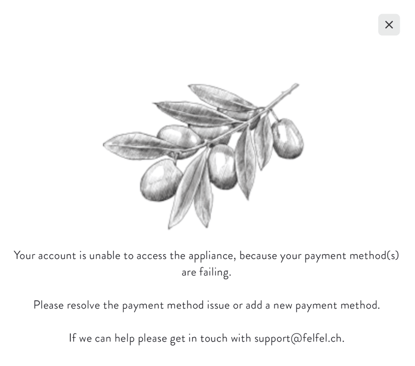
In this scenario, you have one or more payment methods registered, but the last attempt to settle your open balance failed. As a result, your access to the service is temporarily suspended and you will receive an email notification about this.
How to solve it?
You can visit our payment issues section and select the article that matches the payment method registered on your account. This will help you identify what may have caused the failed settlement.
Alternatively, you can remove all existing payment methods and simply top up your account instead.
Please note that topping up your account while a failing payment method is still registered will not restore your access, as the system will continue to detect that the payment method isn’t working.
Error message 3: Your account was deactivated
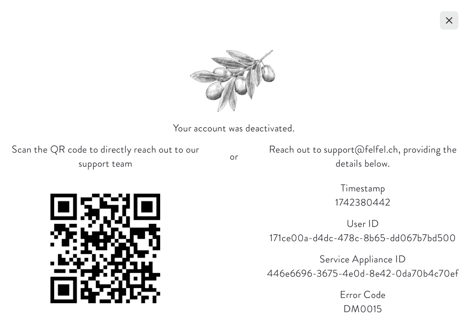
In this scenario, you may have two FELFEL accounts, and the one you’re using to badge in with your FELFEL app or physical badge has been deactivated. Please double-check the email address linked to your FELFEL account and contact our support team by scanning the QR code shown in the error message. Share this email address with them so they can reactivate your account.
Error message 4: Your account was not found in our database
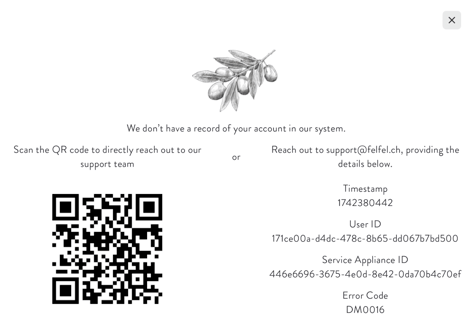
Explanation 1: Your account has been deleted and no longer exists in our database.
Explanation 2: You may be using a physical badge that is not assigned to any FELFEL account, so it isn’t recognized in our system. As an alternative, you can badge in using the QR code in your FELFEL app. If you’d like your physical badge to be linked to your account, please follow the steps described in this article.